

Home / Features
Features
A darts app with a camera for a scorer
DartsKEY combines camera auto-scoring with everything around it: the games, the opponents, the caller and the stats. Here's what each part does.

01 · Auto-scoring
Every dart, read for you
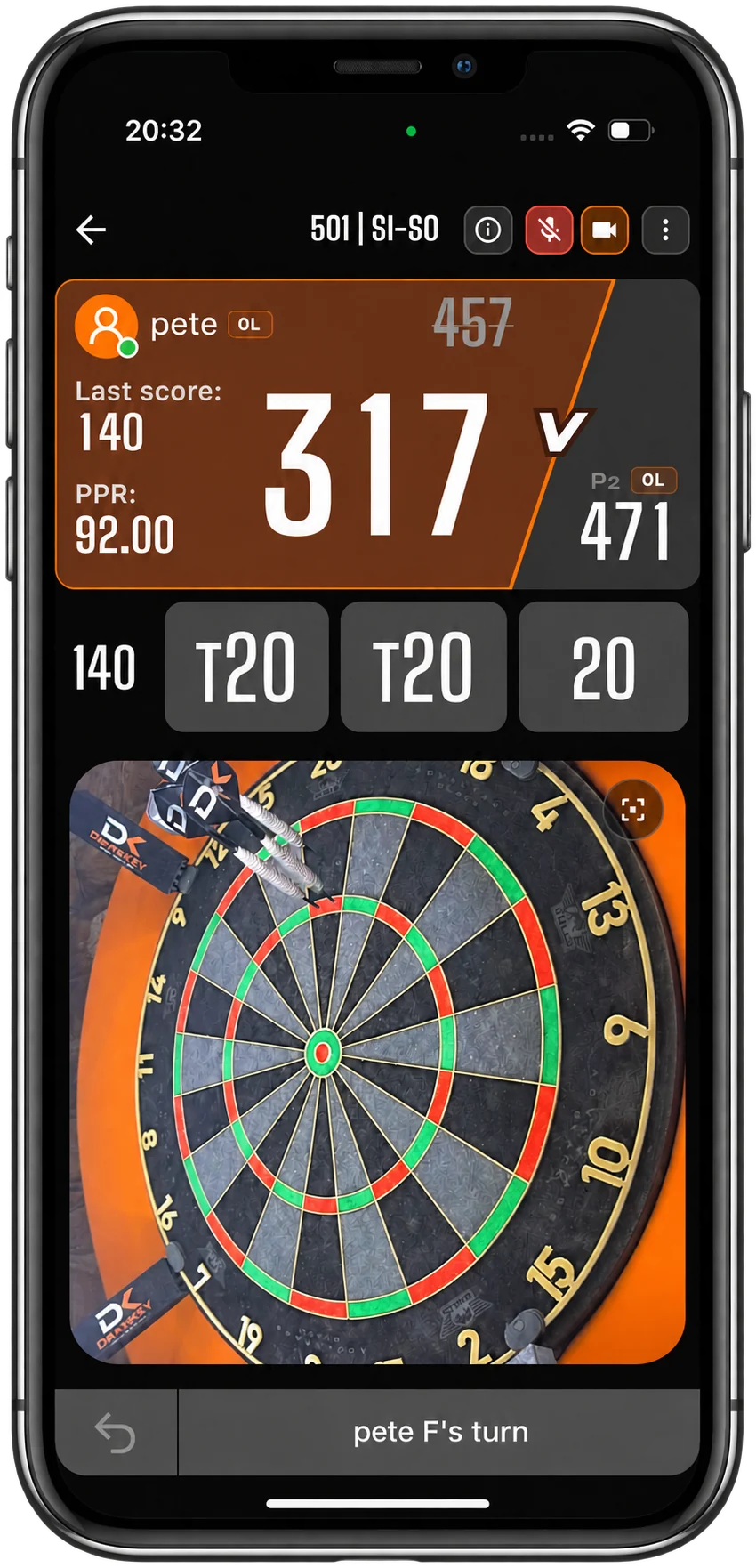
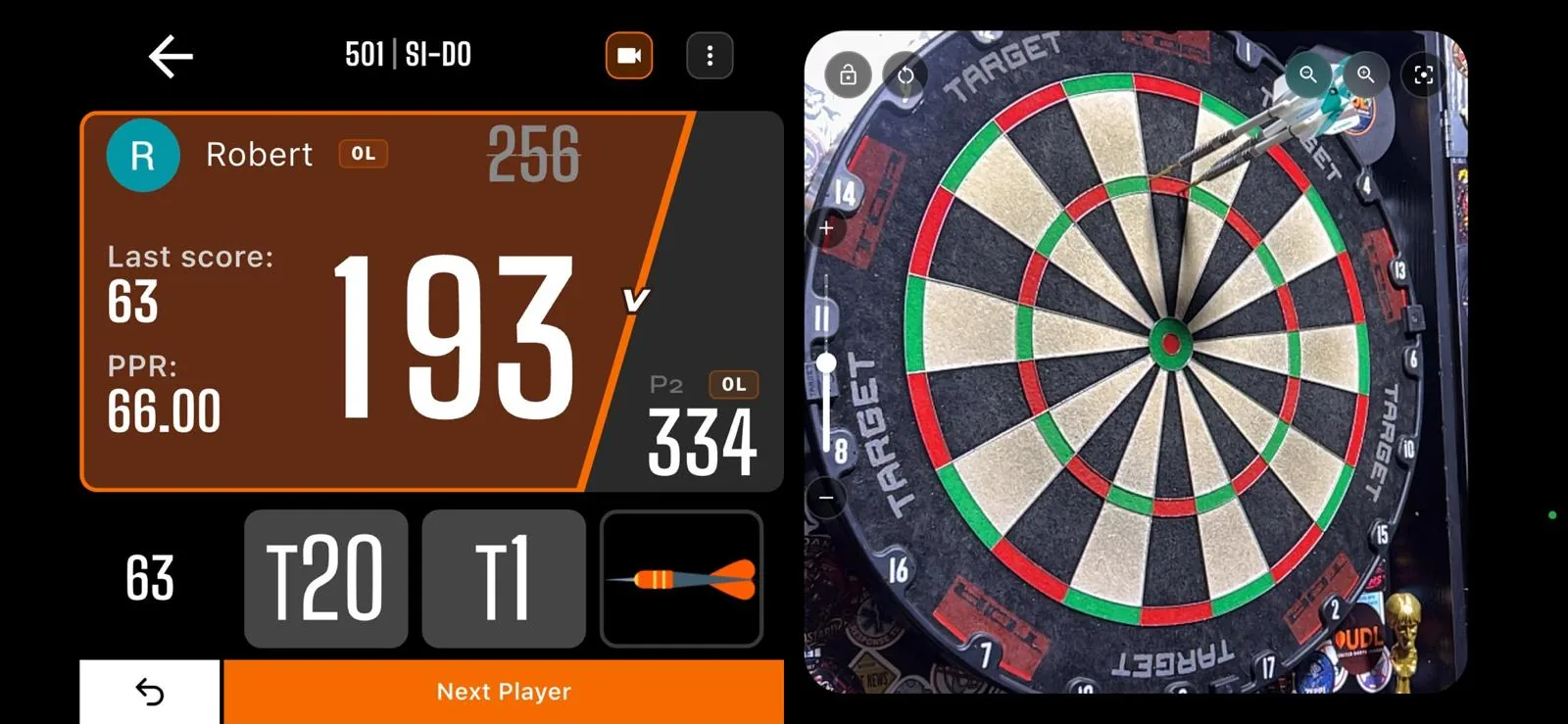
Stand your phone by the board and DartsKEY's detection model finds the board's ring and each dart tip in the camera image, then works out the exact segment.
- Singles, doubles, trebles, bulls. Each dart appears on screen as it lands, with the visit total.
- Automatic calibration. The board's ring is found and locked before the match starts.
- Camera on, then Camera Setup. Tap the camera button in a game, or switch on Auto Enable Auto Scoring in the side menu.
- Camera Setup before every match. Position the phone, set zoom and exposure, then tap Start Game. Nothing is scored before that.
- Runs on the phone. Detection doesn't need a server or a second device.
02 · Scores you can trust
You see it before it counts
Darts can be close to a wire, or a flight can hide a tip. So DartsKEY never moves the turn on without showing you the visit first.
- End-of-visit check. Your three darts are shown before the round is finished.
- One-tap corrections. Tap any dart and fix it on the dartboard or the number chart, including Miss and Bull.
- Pull your darts to pass the turn. Or tap to skip if you'd rather move on.
- Score by hand any time. Turn the camera off and tap where each dart hit, or, in X01, type a whole visit with Input Each Round.
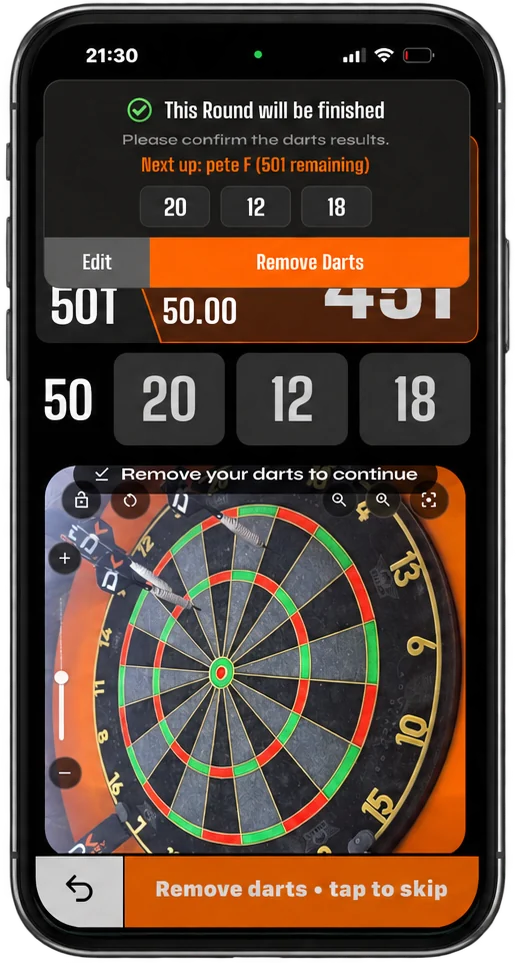
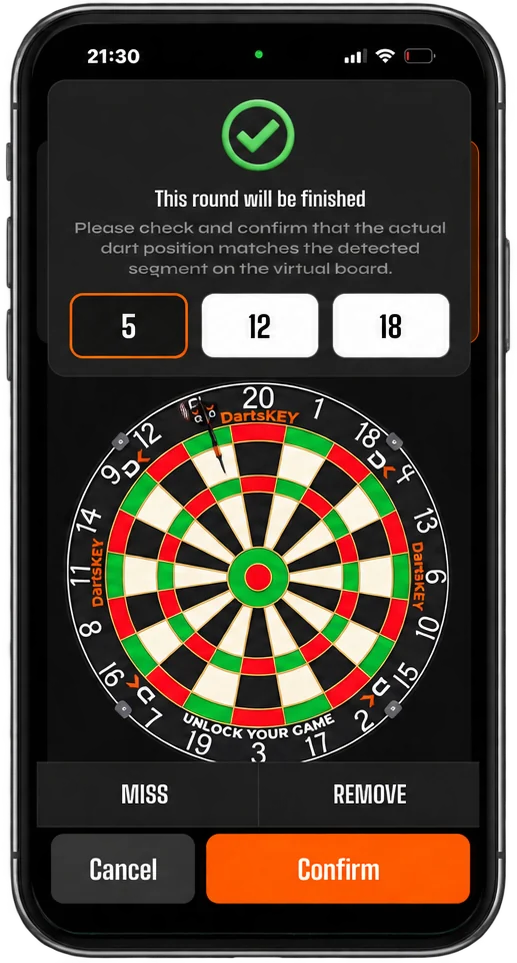
This example shows a 20 corrected to a 5.
03 · Every game you play
16 games, all auto-scored
From a straight game of 501 to a ruthless round of Killer, every game is scored by the camera, and all but 41-60 and Catch 40 work with DartBot and online.
- X01: 301, 501, 701 or 901 with straight, double or master in and out, as single legs or first to N legs or sets
- Cricket: Standard, Tactics, Cut Throat, No Score and Random
- Practice: Around the Clock, JDC Challenge, 41–60 and Catch 40
- Party: Killer, Shanghai, Bermuda, Half It, Hammer Cricket and Gotcha
- Closest to Bull to decide who throws first
Pick your game
04 · Play anyone, anywhere
Online darts with the board in view
In an online match each player's own phone scores their own board, and the other players see it live.
- Live board video. Watch your opponent's darts go in during their turn. Switch off Share my video if you'd rather not share yours.
- In-match voice chat. Your mic starts muted, so you choose when to talk.
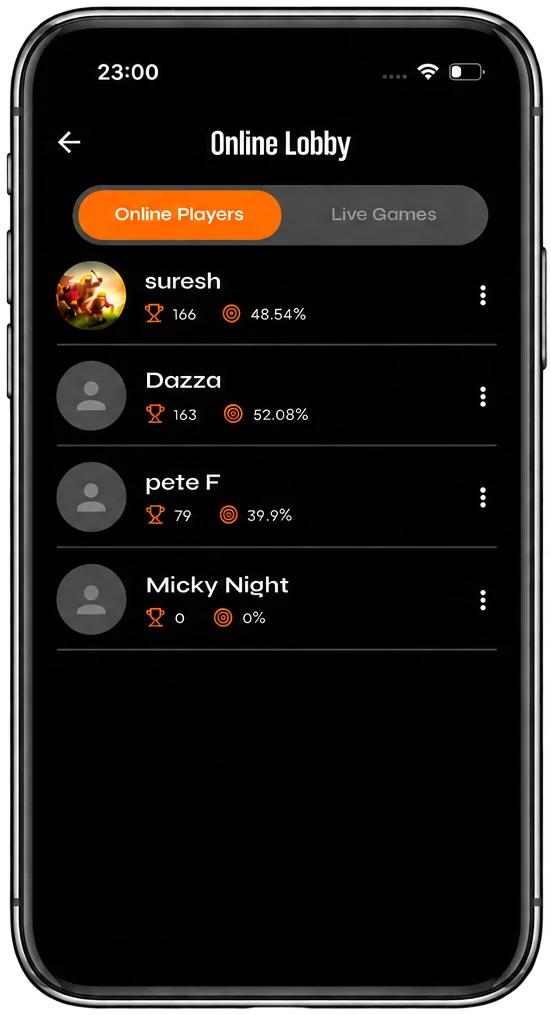
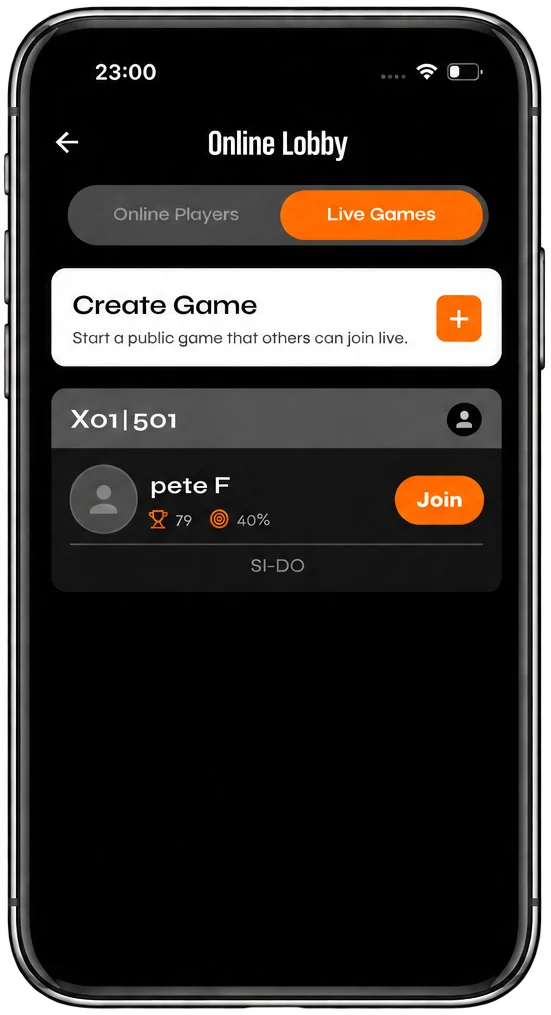
- Online Lobby. See who's online, join a live public game or create one for anyone to join.
- Friends & Groups. Add players by username, filter by skill level and sort your regulars into groups.
- Doubles & Teams. 2 v 2 online, four players on four phones. Online doubles
- Play Again. Start a rematch in one tap when an online X01 legs or sets match is decided.
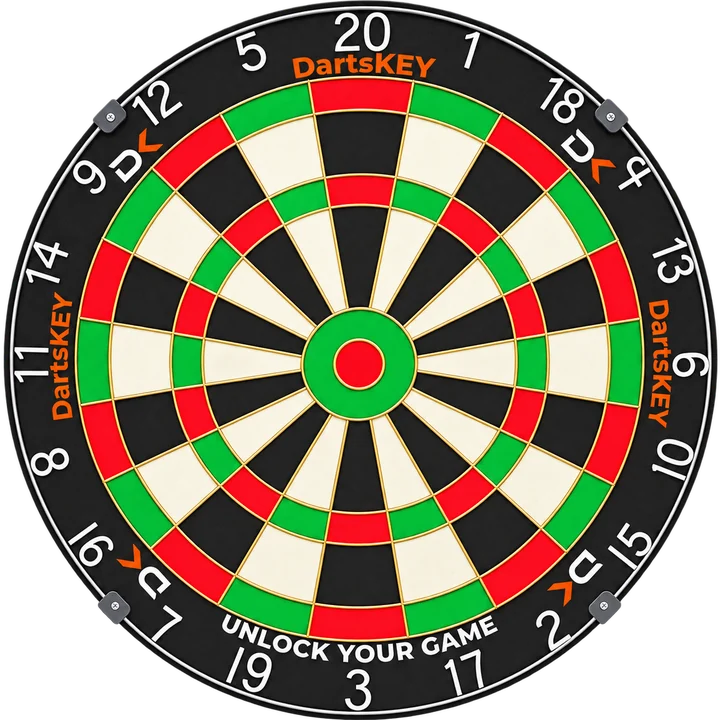 T19
S19
T19
S19
05 · In the same room
One board, everyone's stats
Two ways to play together at home, at the club or in the pub.
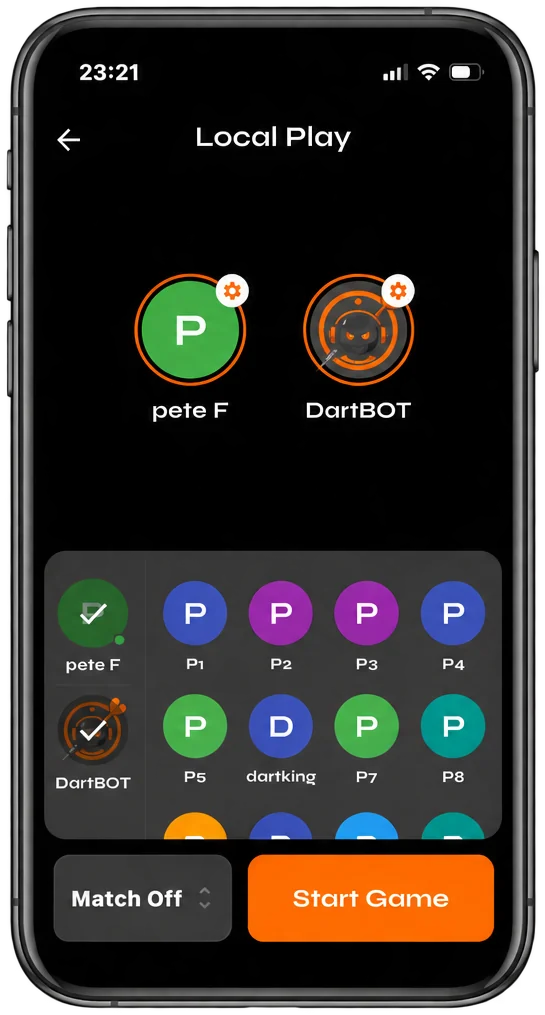
- Local Play: up to 6 players on one phone, in any mix of players and DartBot.
- Play Together: host the game on your board and friends join from their own phones, found over Bluetooth or with a code. Up to 8 players, and each result is saved to that player's own profile.
- Joining is free. Only the host needs a plan.
06 · Practice that improves you
Stats, heat maps and DartBot
DartsKEY sees where every dart lands, so it can show you where your game is going.
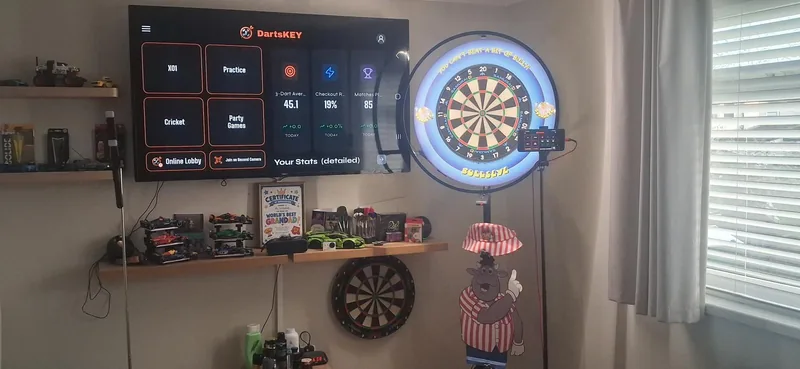
- Your Stats: 3-dart average, checkout rate and matches played, with today's figures
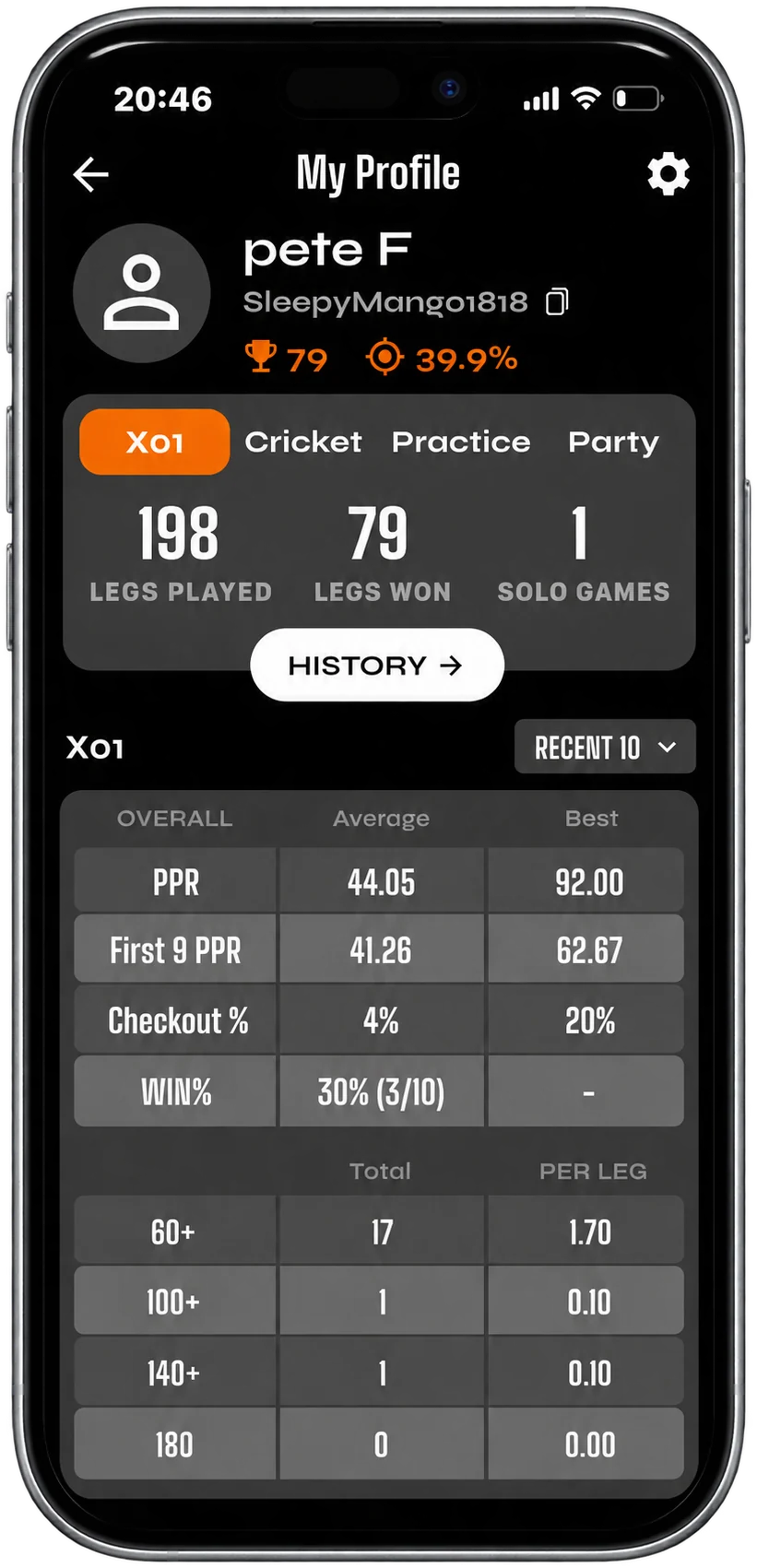
- X01 detail: first 9 average, checkout %, 60+, 100+, 140+ and 180 counts, win rate
- Cricket detail: marks per round, first 9 MPR, 5- to 9-mark rounds
- Heat map after X01, practice and party games
- Stats over your last 10 to 5,000 legs, or all of them, and game history leg by leg
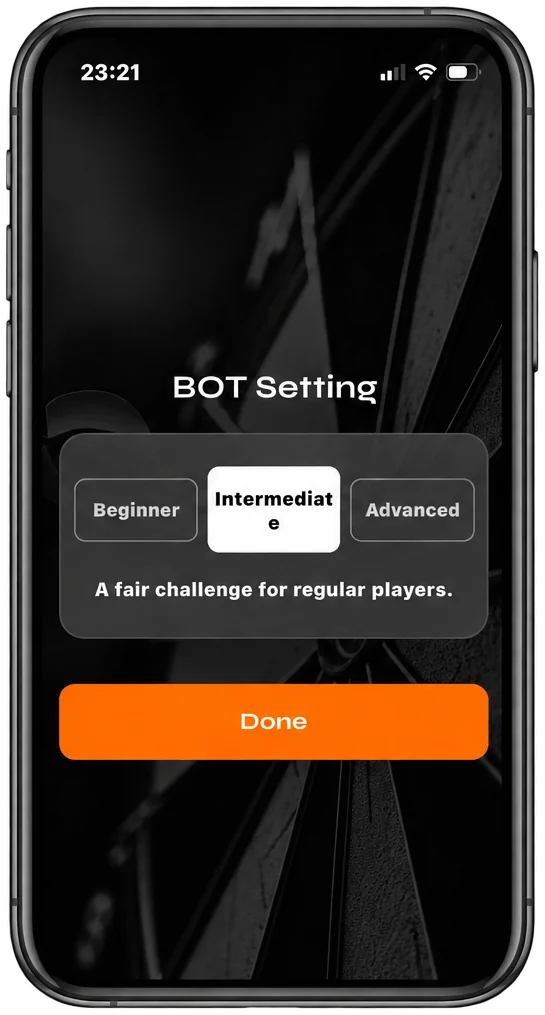
- DartBot in 14 games, at Beginner, Intermediate or Advanced in X01
07 · The caller
Big-stage calls in your living room
The voice caller is on from the start and uses a British voice by default. You can pick any English voice installed on your phone.
- Each dart as it lands, then the visit total
- Checkout calls: “Alex needs 96”
- Bust calls that tell you why: “Bust. You need a double to finish.”
- Leg and match calls for the winner
- Per-dart calls can be switched off; the visit and checkout calls stay
Unlock your game.
Put your phone by the board and let DartsKEY keep score. You just throw.
iPhone Android Coming soon to the App Store and Google Play